



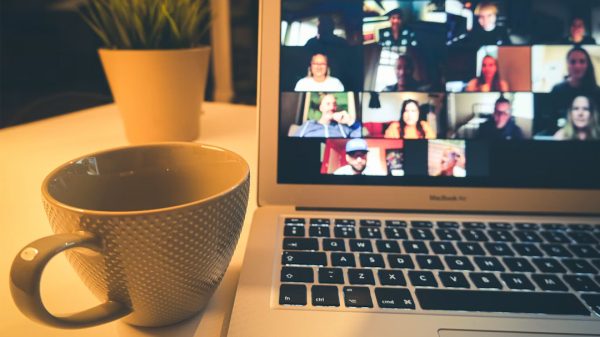






























Reliable household technology gives digital organizers the stable base they need to coordinate volunteers, share resources, and host public events. A dropped connection or misplaced file can derail hours of preparation, especially when several people are working from different locations.
Home internet, basic backup equipment and clear file practices now belong in the organizing toolkit. When those systems work well, teams can focus on community needs instead of troubleshooting preventable technical problems.
The Evolution of Virtual Advocacy
Community organizing once depended heavily on printed flyers, phone trees, and in-person meetings. Those methods still have value, but virtual advocacy helps groups reach people quickly through email, video calls, social platforms, and shared workspaces. Guides to digital advocacy benefits highlight advantages such as broader participation and faster communication.
Effective groups combine online outreach with familiar local tactics. An analysis of digital and traditional organizing explains why campaigns benefit from integrating both. A neighborhood group might hold a community meeting, stream it for residents at home, and send a recording to anyone who couldn’t attend. Dependable household tech makes that wider participation possible.
Reliable connectivity also matters when online spaces provide essential community support. This article on building digital safe spaces for LGBTQ+ communities explains why stable internet access and inclusive digital environments are important for keeping people connected.
Preventing Disruptions During Live Events
Test every part of a virtual event at least one day before it begins. Check the microphone, camera, presentation permissions, and links from the same room and device that the host will use. Ask a second organizer to join from another location so you can spot sound or access problems.
Internet performance also deserves an early check. If an upcoming event involves several speakers, screen sharing, or a live broadcast, organizers can find internet providers by address to compare residential plans and check which services are available at the host’s home. A wired connection may provide steadier performance than Wi-Fi during an important session. Keep a phone hotspot, dial-in number, and downloadable copy of the presentation ready as backups, then assign one person to handle technical questions while the host stays focused.
Securing Local High-Speed Access
Advertised download speed tells only part of the story. Organizers also need sufficient upload speed for video, low latency for natural conversation, and enough capacity for everyone using the household connection. A host’s call may suffer if another resident starts a large cloud backup or streams high-resolution video at the same time.
Run speed tests at the hour when the event will occur since evening demand can affect performance. Place the router in an open, central location and restart it before a major session if it has been running for weeks. For weak rooms, test a mesh system or Ethernet cable before buying new equipment. Groups can also rotate hosting duties so one person’s limited home connection doesn’t become a recurring barrier to participation.
Safeguarding Collaborative Online Files
Give every project a clear folder structure before volunteers begin uploading documents. A simple arrangement might include administration, outreach materials, event assets, and approved public files. Use dates and version numbers in filenames, such as `community-forum-agenda-2026-11-v2`, so contributors don’t edit an outdated copy.
Permissions need the same attention. Limit editing access to active collaborators and use view-only links for public materials. Turn on multifactor authentication for accounts that hold contact lists, meeting notes, or unpublished plans. One coordinator should review access each month and remove former volunteers promptly.
Cloud storage can fail through accidental deletion, account lockout, or synchronization errors. Keep a second backup of essential files on an encrypted local drive, then test restoration periodically. A backup has little value if nobody knows how to retrieve it during a deadline. Household tech rarely attracts attention when it works, which is exactly the point. A stable connection, a tested backup route, and an orderly shared folder allow the next virtual meeting to begin on time with the agenda already in everyone’s hands.