









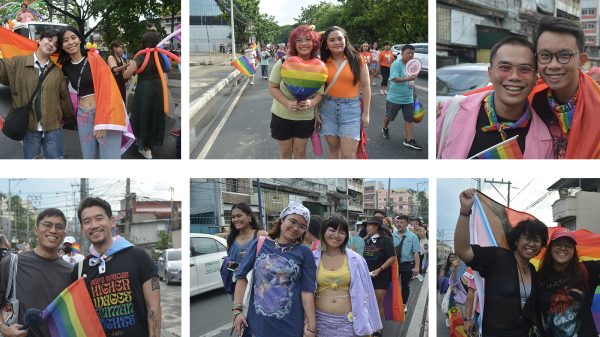

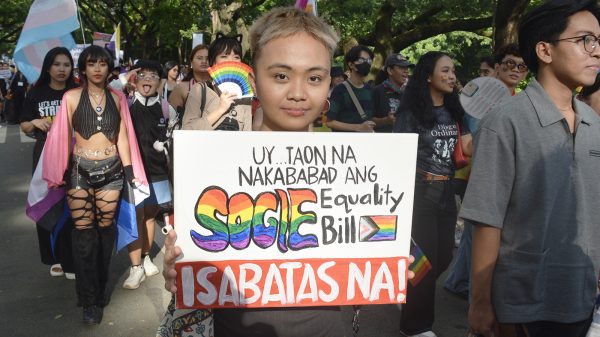







Ask anyone who has run a Pride planning meeting, a legal-aid referral chain, or a quiet support thread for a trans friend in crisis: the hardest part is rarely the message. It’s the metadata around it.
Most community organising in the Philippines happens on apps tied to a SIM. That tie is convenient and dangerous at once: a phone number is a name, an address on a registration form, a billing record, and a thing people pass around in group chats without thinking.
For a volunteer who is out in Quezon City but not out in their home province, that single identifier can carry more risk than the content of any conversation.
Why the number is the weak point
End-to-end encryption protects the contents of what you send. It does nothing about who knows you were talking, or that an account exists at all under your number.
When an app uses your mobile number as your account name, three things follow. Anyone who has that number in their contacts can discover you on the platform. Anyone who gets hold of your SIM, legally or otherwise, can attempt recovery. And a leaked contact list links your advocacy identity to your legal identity in one step.
Under SIM registration rules, that number is already attached to a government-verified name. The chat may be sealed. The envelope is not.
What organisers usually get wrong
Two misunderstandings come up again and again in digital safety sessions.
The first is treating encryption as a single switch. People assume that if an app says “encrypted,” everything about the conversation is private, including membership of groups, timing, and the existence of the account. It usually isn’t.
The second is thinking a burner SIM solves it. It helps, briefly, until that number gets reused, until it’s registered somewhere, or until someone adds it to a group chat and twenty people now have it saved under your real name.
How ID-based messaging works
The alternative is an account that isn’t a phone number at all. Instead of a SIM, the app generates a random identifier, a string of characters often paired with a QR code, that you hand out only to people you choose.
This changes the practical mechanics in a few concrete ways:
- Contact discovery stops happening by accident, because nobody can find you by uploading their address book.
- Losing or changing a SIM doesn’t expose or orphan the account.
- You can keep separate IDs for different roles, say one for a legal-support network and one for personal chats.
- Someone who grabs your phone sees a username that doesn’t resolve to a civil registry entry.
The trade-off is real and worth saying plainly. No phone number means no automatic recovery. Lose the device and the credentials, and that account is gone. Organisers who build a chapter’s whole communication flow on one person’s ID learn this the hard way.
TeleGuard as one worked example
Say a small provincial chapter is coordinating a safe-house referral and doesn’t want the group’s existence to surface in anyone’s contact list. That’s where an ID-based messenger earns its place. TeleGuard, published under the name Swisscows, works this way: no registration, no phone number, just a generated ID and QR code that members hand to each other directly. It isn’t phone-only, either, since there’s a desktop build, and TeleGuard for Windows 10 matters for the volunteer who does intake paperwork at a laptop all day rather than on a handset.
That’s one option among several, not a recommendation to standardise on. Session, Wire and others take similar or related approaches, and the right pick depends on who in your network can be taught to use it.
Choosing for a real network
The best tool is the one your least technical member will still be using in three months. Advocacy groups in the Philippines tend to span a wide range of digital literacy, from students who will try anything to barangay-level volunteers on an entry-level Android phone with limited data.
Before switching a group over, it helps to check a short list of things:
- Does the app work on low-end devices and patchy mobile data?
- Can a new member be onboarded in under ten minutes by someone who isn’t technical?
- What happens when a member loses their phone, and who else holds the group’s continuity?
- Are notifications hidden on the lock screen by default, or does a preview appear?
- Is there a desktop or web version for people who work on a shared machine?
Lock screen previews deserve a special mention. A preview reading “Pride committee” on a phone left on a family dinner table has outed more people than any server breach.
The habits around the app
Tools fail quietly when the practices around them are loose. Groups that stay safe tend to agree on a few norms early: keep membership lists small and reviewed, never forward screenshots outside the group, and use real names only where there’s a reason to.
Disappearing messages help, but they are not a substitute for deciding what shouldn’t be written down at all. Legal names, addresses of shelters, and HIV status belong in as few threads as possible, regardless of the encryption.
One caveat to carry forward: changing apps is the easy part, and moving a network is the hard part. Expect a month of two platforms running side by side, decide in advance who keeps the authoritative contact list offline, and write down the recovery plan before anyone needs it.